
Nation-specific checks
Review the applicable checks for England, Scotland, Wales or Northern Ireland. Teacher registration and disclosure routes vary by nation.
Bring safeguarding checks, teacher records and school cover into one workspace. See what is ready, what is missing and what needs a named review before the next placement.
For supply teaching, SEND support and education recruitment.
Explore 4 real product screens
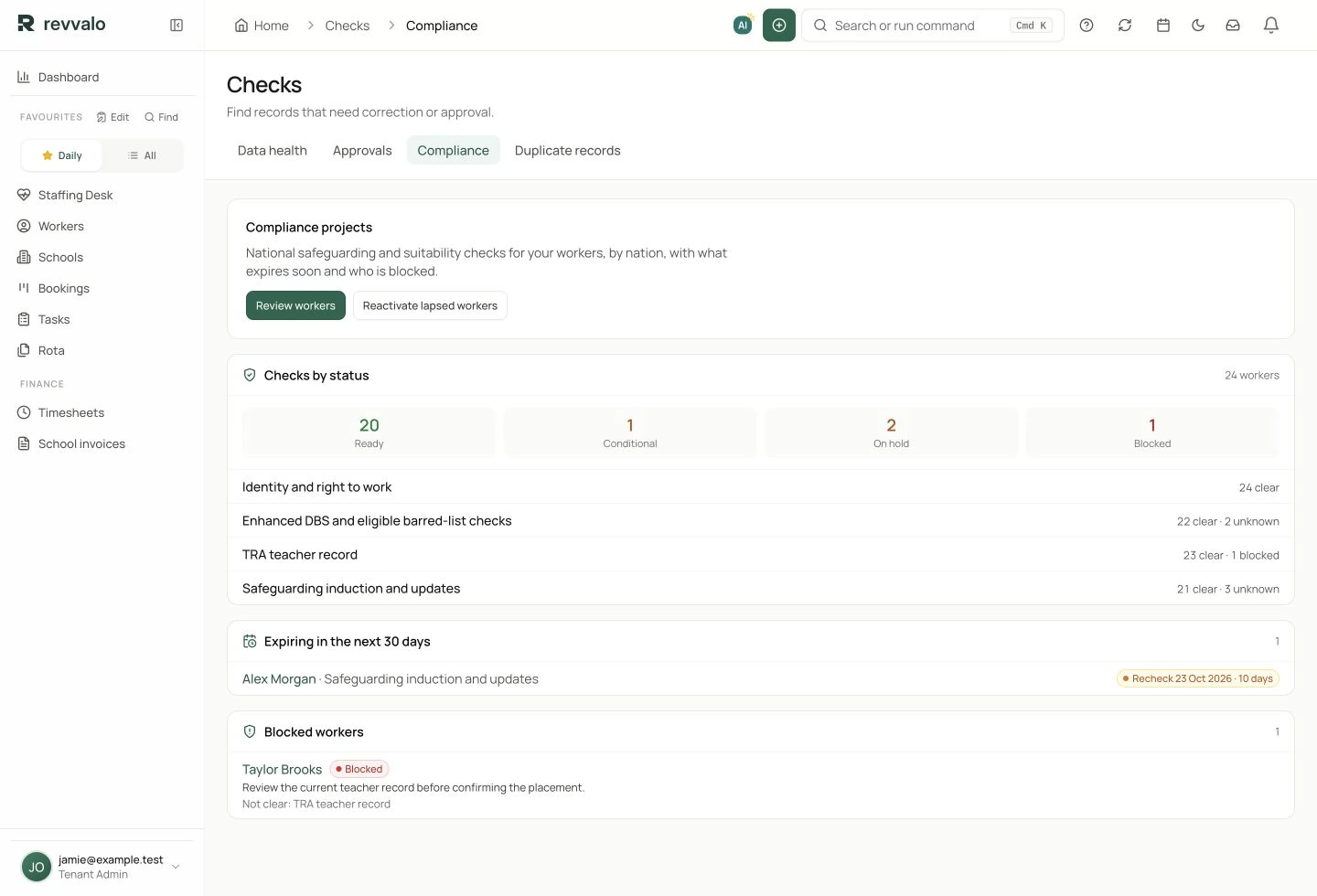
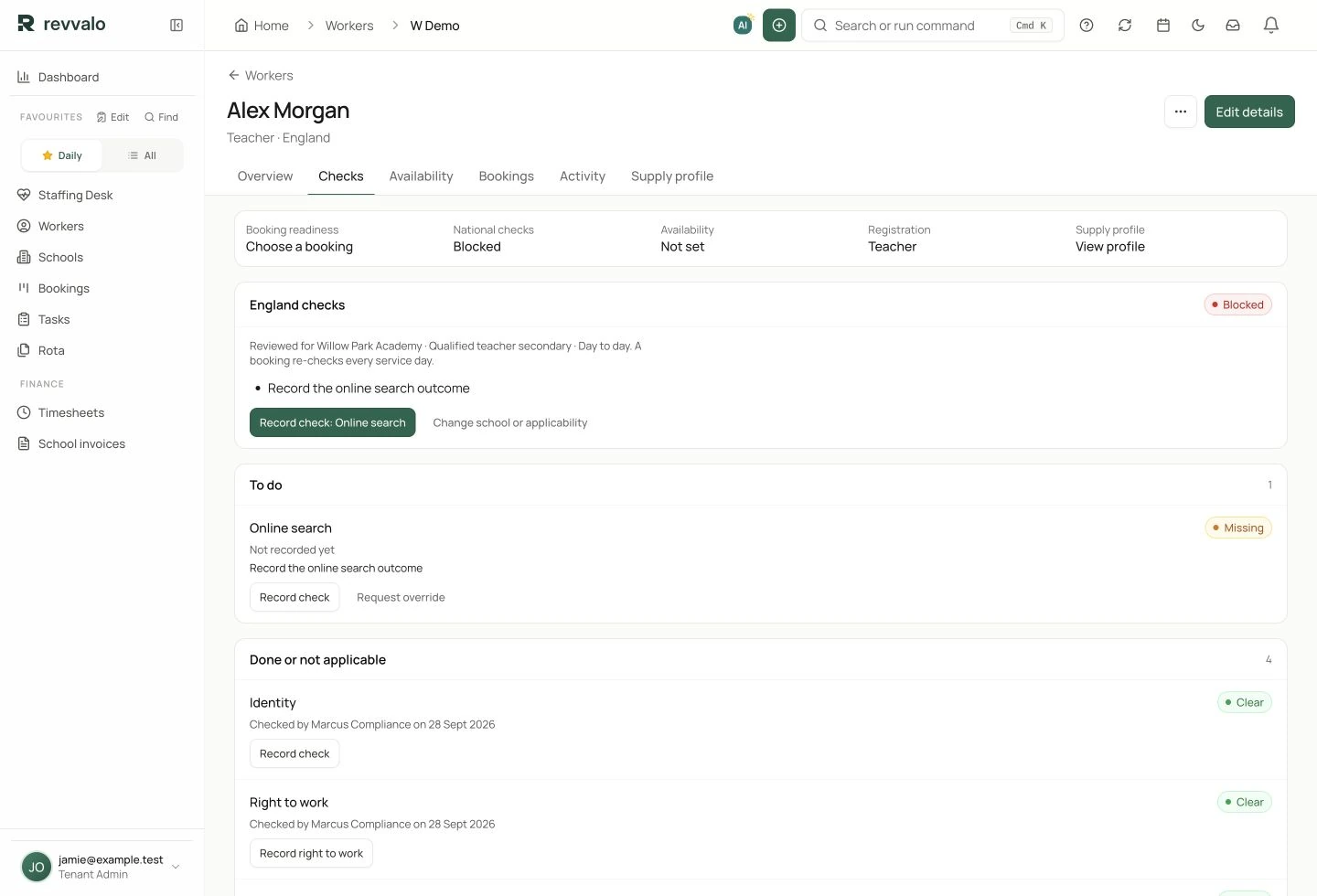
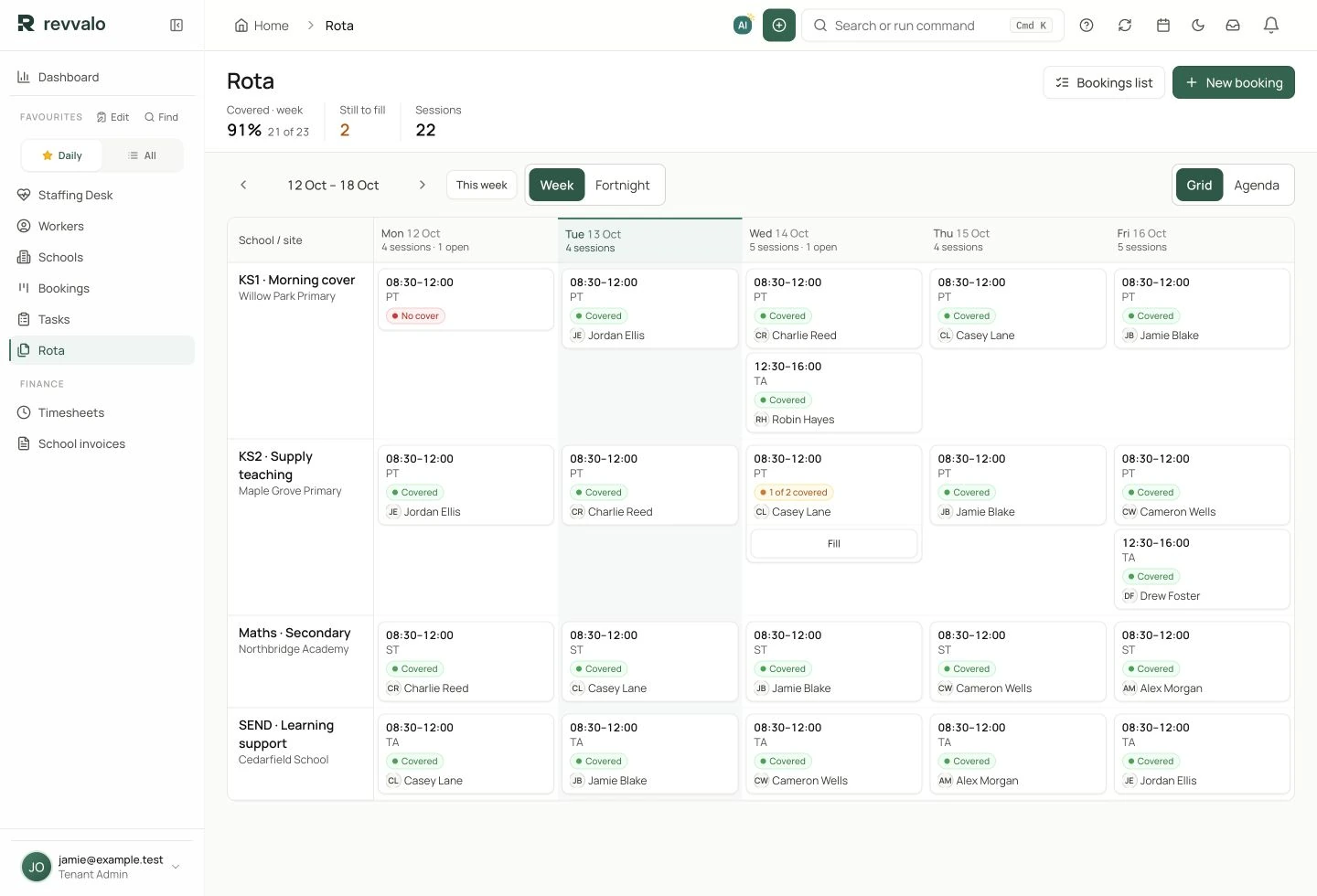
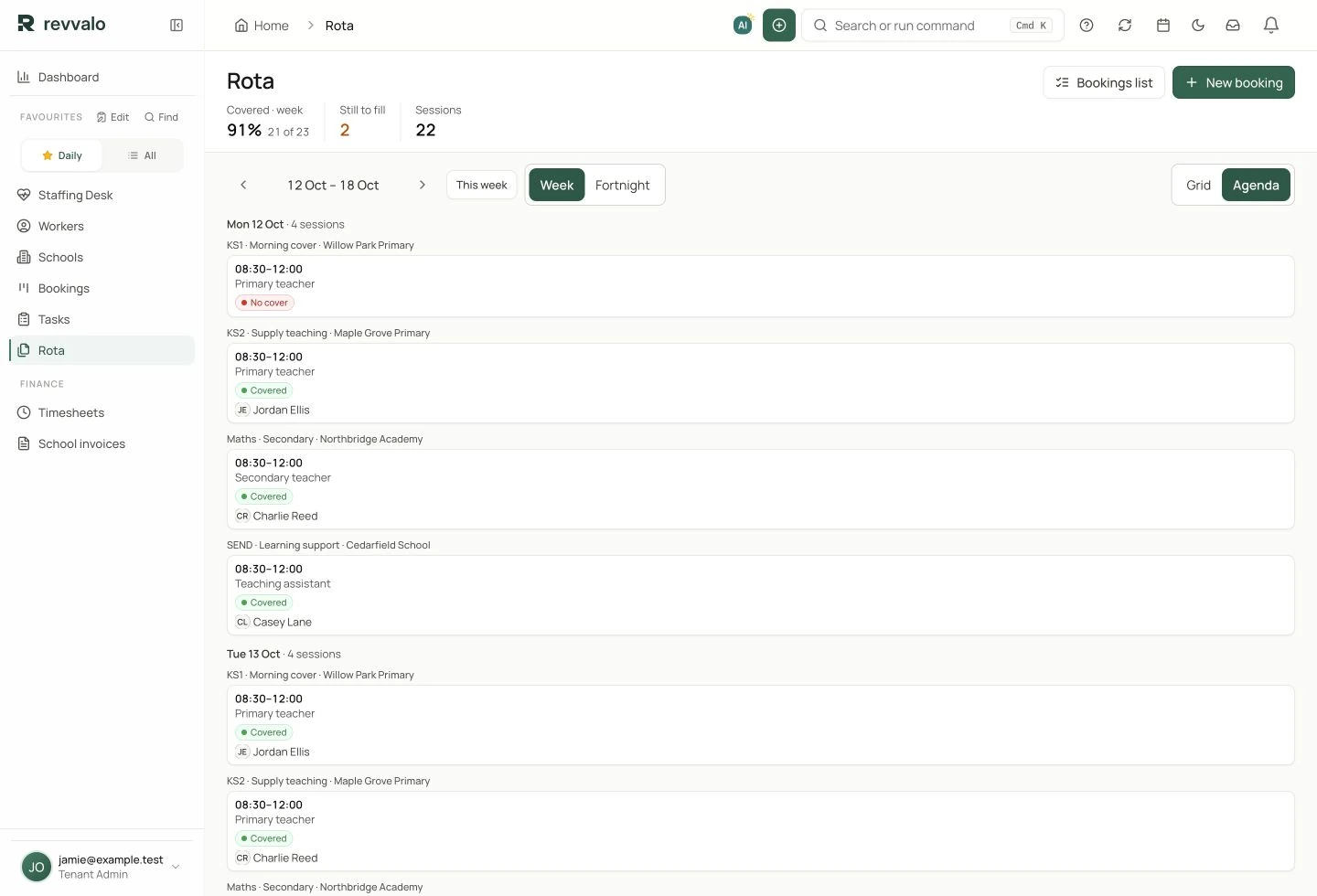
Keep the worker’s checks, the school context and your placement decision together. Review readiness by nation, role and setting.
Review the applicable checks for England, Scotland, Wales or Northern Ireland. Teacher registration and disclosure routes vary by nation.
See identity, right to work, disclosure and teacher-record checks alongside who recorded them. Keep missing evidence visible.
Prepare written confirmations for the school, then record the handoff. Keep the confirmation connected to the reviewed worker record.
For placements in England, use the current Keeping Children Safe in Education guidance when setting your process. KCSIE applies to England; the other UK nations have their own guidance and requirements.
Keep the evidence, the reviewer and the next action together.
Explore your compliance workflow →A morning absence, a longer placement or additional learning support: keep the school, the person and the booking connected throughout.
Keep the school, site, subject, year group and session details with the request.
Bring availability, skills and required checks into the decision before confirming a booking.
Move between a school-by-school rota and a daily agenda. See confirmed cover and the sessions still open.
Keep booking confirmations, timesheet review and school invoicing connected to the work.
Keep school and site records, key contacts and operating information close to every booking.
Track readiness and outstanding reviews alongside the worker record. Your team owns the safeguarding and placement decisions.
Keep the booking history and confirmations together, so a recurring requirement does not start from a blank page.
Yes. The education rota groups the week by school and site, with session-level coverage and assigned workers. The agenda provides a day-by-day view.
Yes. The education staffing workspace uses school and session terminology, with education-specific records and workflows.
No. These are captures of the actual Revvalo interface populated with fictional demo records. Create an account or request a walkthrough to explore your own setup.
Create your own account, or show us a typical week and explore how Revvalo fits your operation.